Skip to content
← Back to Work
Public Beta v10.12.0 Windows Desktop AES-256-GCM Fully Offline

Your private files, sealed behind one password.

Encrypted personal vault for Windows. AES-256-GCM authenticated encryption with Argon2id key derivation. Windows Hello unlock, in-app SHA-256-verified updater, portable mode. Fully offline, zero telemetry. Source is proprietary; public repo hosts releases and Discord community only.

Authenticated cipher
AES-256-GCM
Network calls
0
Current build
v10.12.0
Dark themes
12

The problem

Most 'secure' tools still trust someone else with your data.

Password managers, note apps, file vaults — most are excellent at encryption in transit. But the data still lives on someone else's server. A breach, a policy change, a shutdown, a subpoena — any of these can expose what was supposed to be private.

Nexus is a single vault for the things that actually matter — files, passwords, notes, bookmarks, contacts — that never leaves the device it's created on. There's no cloud sync to turn off, because there's no cloud to begin with.

One vault. Everything sealed behind a single master password.

Credentials + TOTP

Passwords, usernames, built-in TOTP — no separate authenticator app needed.

Notes + Journal

Markdown-formatted encrypted notes, plus a private daily journal with a 30-day calendar view.

Zero-Trace Launcher

Run any app through Nexus in a monitored session — temp files are securely deleted when you're done.

Streamer Mode

Makes Nexus invisible to screen capture, OBS, and screenshots — your vault stays private even on stream.

Smart Collections

Auto-grouped views that surface related files, notes, and credentials across the vault.

Multiple + decoy vaults

Run several independent vaults side by side, including decoy vaults that unlock in place of your primary.

Current status + what's next.

v10.12.0 · In-app updater

Settings → Updates. SHA-256-verified downloads, manual restart-to-install always required. Off / Notify / Automatic modes.

v10.12.0 · AES-256-GCM upgrade

Vault cipher upgraded to real AES-256-GCM under a new NXG1 format. Old vaults stay readable forever; new writes get GCM automatically.

Windows Hello unlock

Optional Windows Hello unlock on top of the master password — face, fingerprint, or PIN, backed by the platform TPM.

v10.11.0 · Theme consistency

Whole-app theme pass across 17 screens and all 12 themes. Visible keyboard-focus indicator app-wide. Destructive-action styling fixed on Factory Reset.

v11 · in prep

A ground-up UI overhaul is coming.

Nexus v11 · final release is being finished right now — a complete UI redesign on top of the v10.x security architecture. Every screen redrawn from scratch: lock screen, vault browser, credential detail, notes editor, settings, updater. The cryptographic core (AES-256-GCM · Argon2id · Windows Hello · signed updates) stays untouched — v11 is a design + interaction refresh, not a rewrite of trust.

v11 · design deck

Real screens from the internal mockup pack.

Frames below are pulled straight from the v11 design deck. These are the surfaces that ship — not concept sketches — pending final external hardening + a11y sign-off.
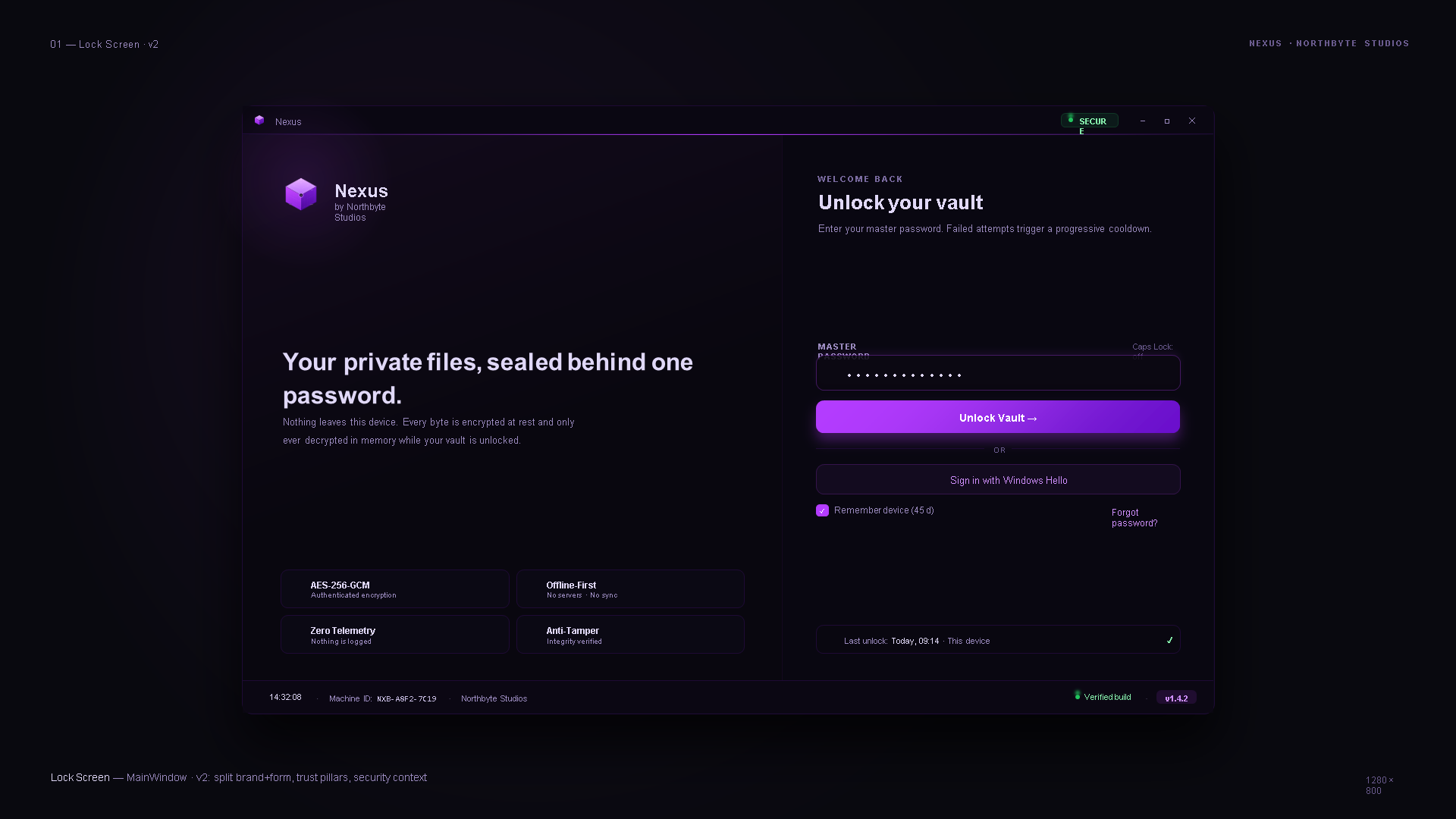
Nexus v11 Lock Screen — split brand + master password entry. Left column: Nexus wordmark with 'Your private files, sealed behind one password' + four trust chips (AES-256-GCM, Zero Telemetry, Offline-First, Anti-Tamper). Right column: master password field, Unlock Vault CTA, Sign in with Windows Hello, remember-device toggle. Bottom bar: verified build indicator + v1.4.2 version tag.
Lock Screen · v2 — split brand + form, trust context always visible
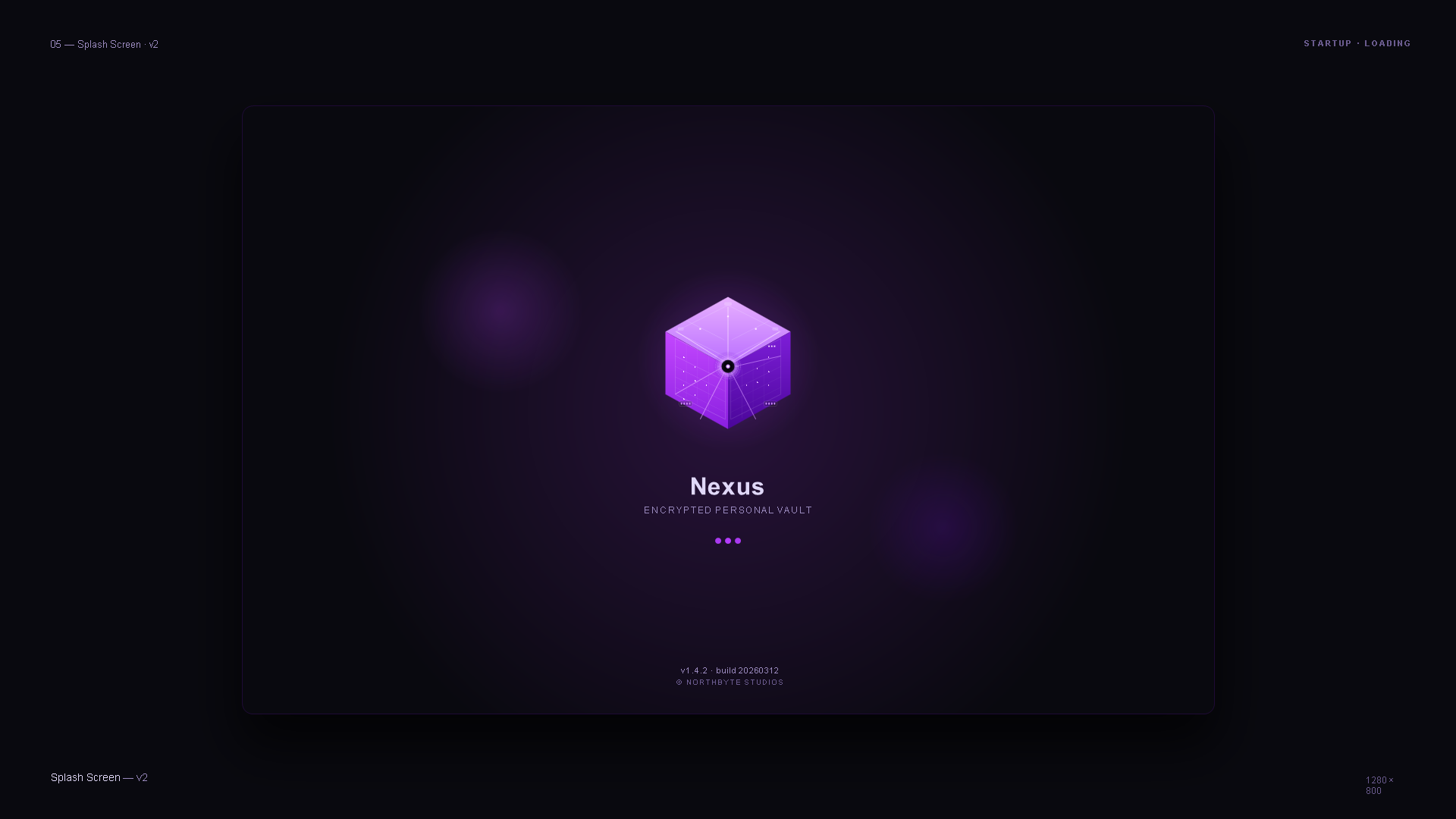
Nexus v11 Splash Screen — centered isometric vault cube glyph, Nexus wordmark, 'Encrypted Personal Vault' subtitle, three animated loading dots. Version tag v1.4.2, build 20260312, Northbyte Studios credit at bottom.
Splash — startup / loading
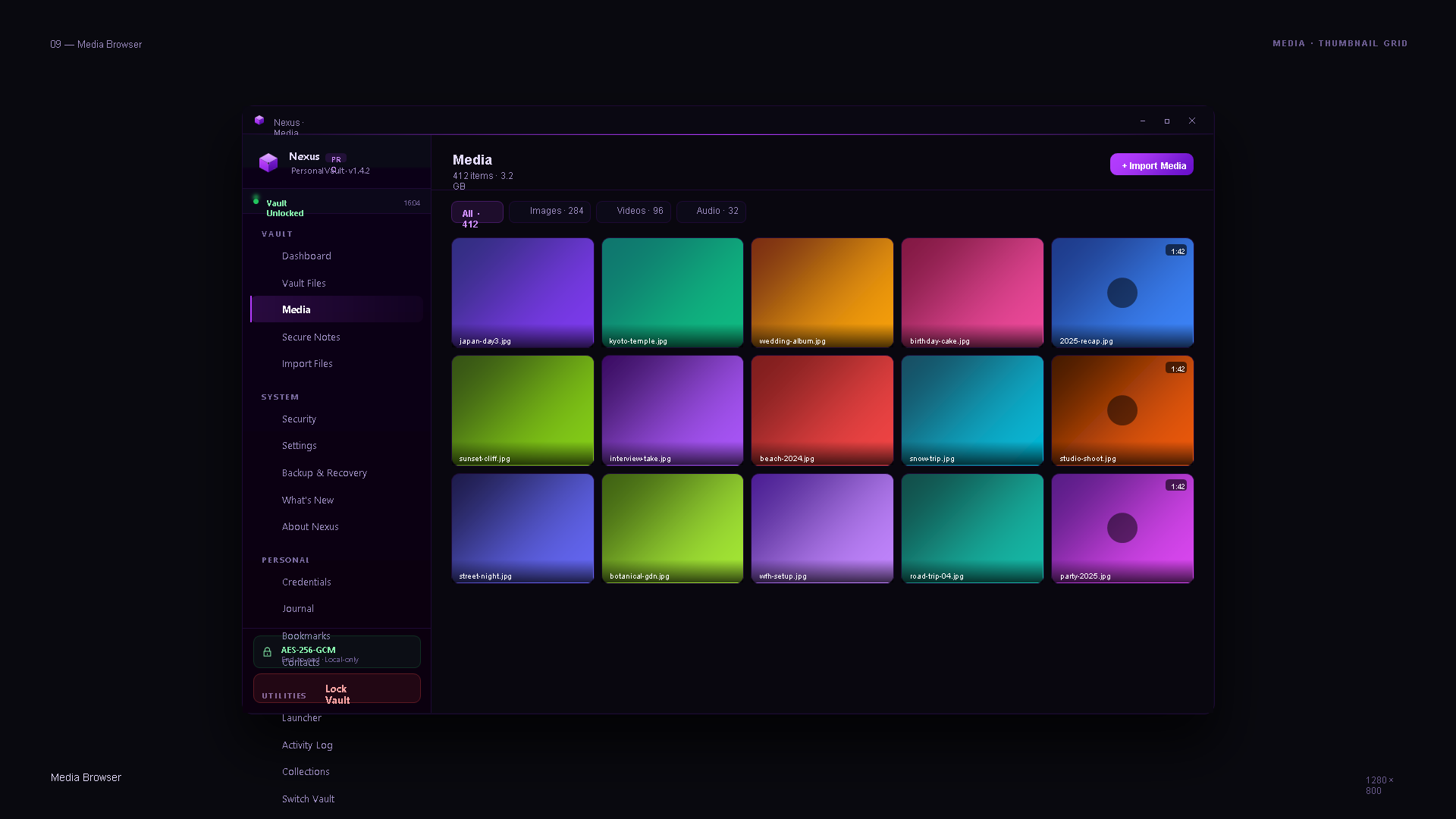
Nexus v11 Media Browser — dark left sidebar with vault sections (Dashboard, Vault Files, Media selected, Secure Notes, Import Files, then System group: Security, Settings, Backup, What's New, About, then Personal: Credentials, Journal, Bookmarks, Contacts). Vault-unlocked indicator + AES-256-GCM local-only chip. Right pane: Media header with 412 items, 3.2 GB, filter tabs (All 412, Images 284, Videos 96, Audio 32), 5×3 grid of thumbnails with filenames, videos with duration overlay.
Media Browser — thumbnail grid, sidebar navigation
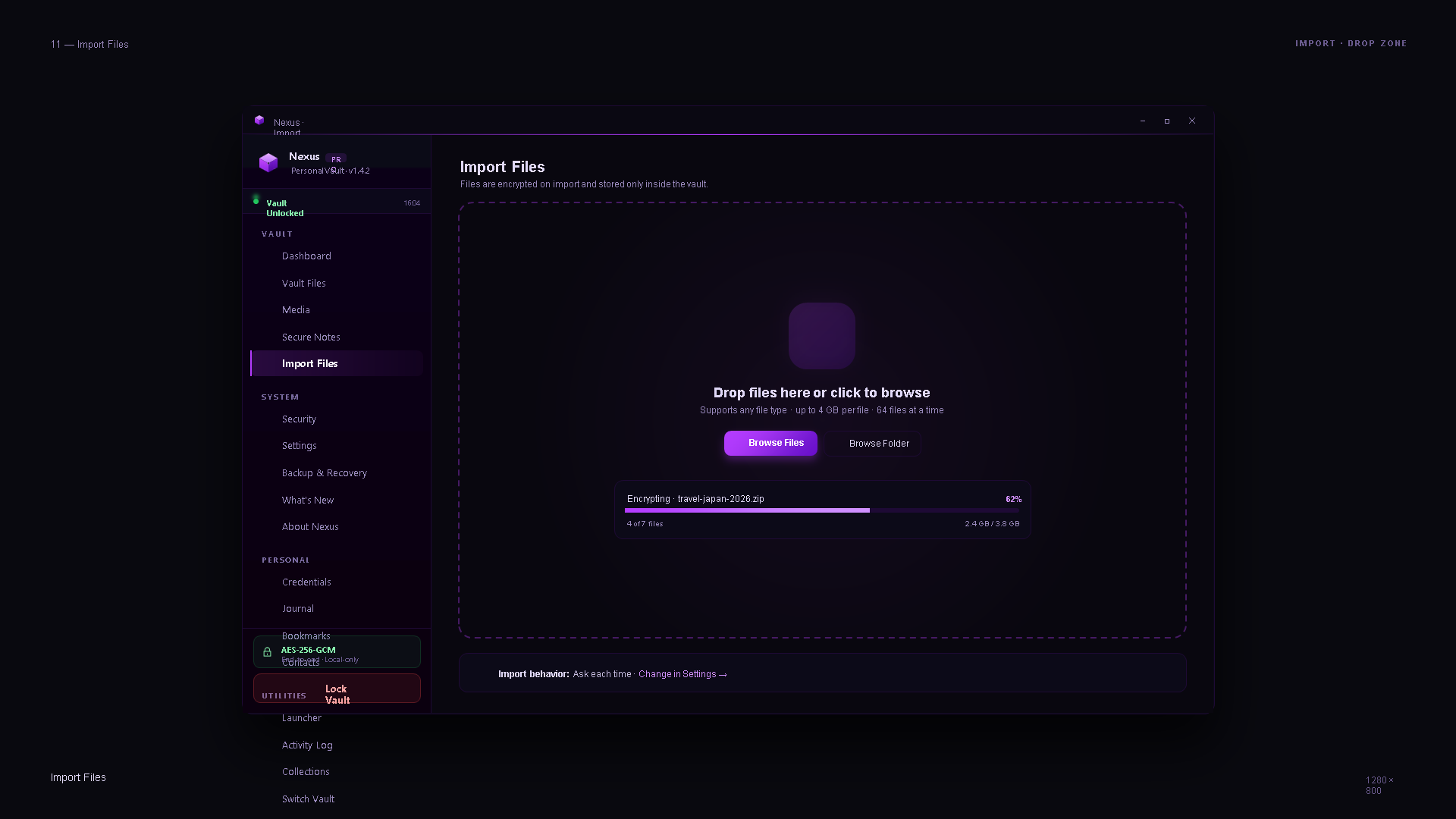
Nexus v11 Import Files — same left sidebar, right pane shows a large dashed drop zone with soft purple encrypted-container icon, 'Drop files here or click to browse' text, file type constraints, Browse Files (primary) + Browse Folder buttons. Progress row underneath shows Encrypting · travel-japan-2026.zip at 62%, 4 of 7 files, 2.4 GB / 3.8 GB. Footer: 'Import behavior: Ask each time — Change in Settings'.
Import Files — drop-zone + live encryption progress
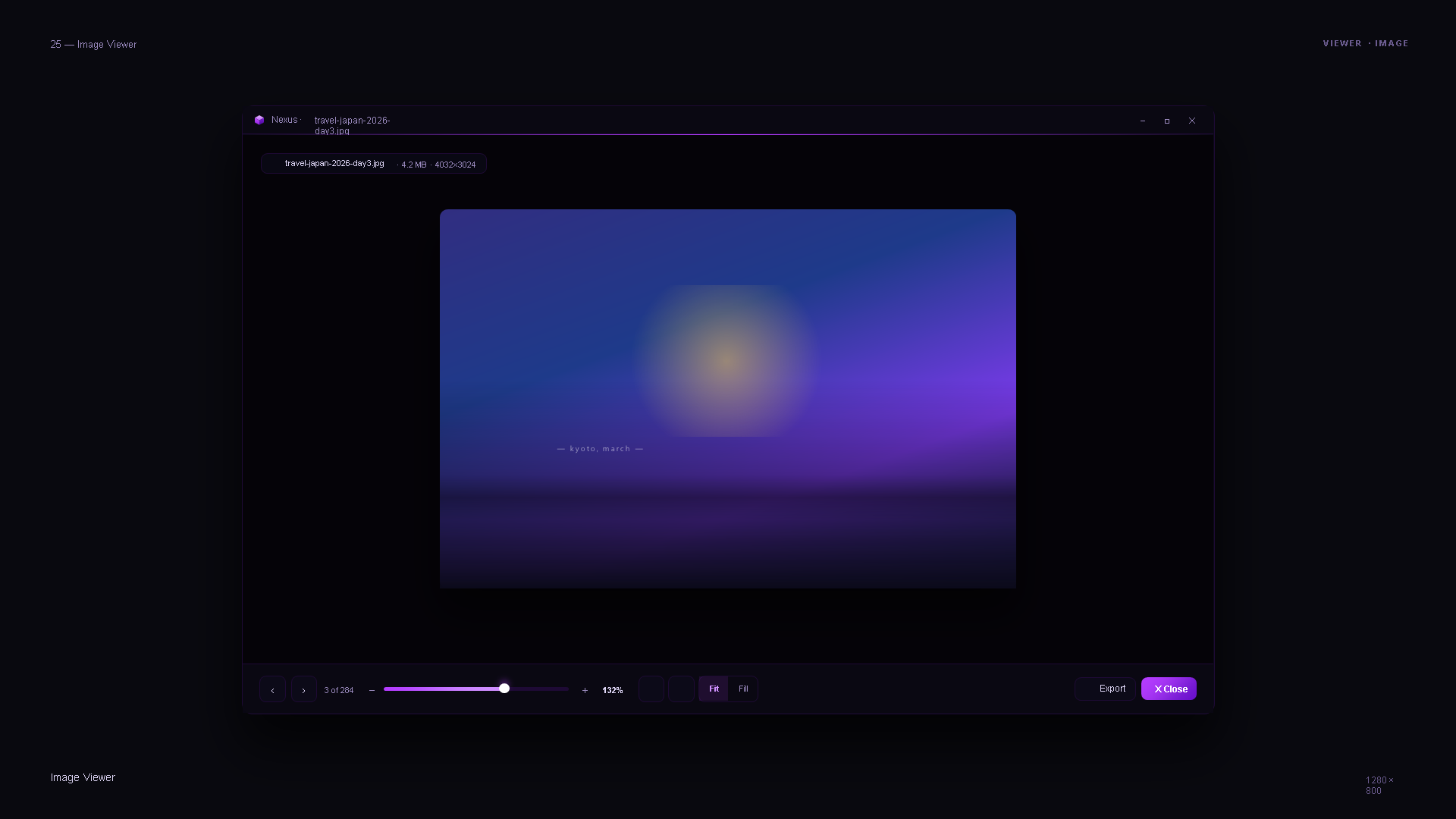
Nexus v11 Image Viewer — full-window preview of an image (travel-japan-2026-day3.jpg, 4.2 MB, 4032×3024). Filename chip at top-left. Bottom action bar: 3 of 284 counter, zoom slider at 132%, Fit / Fill toggle, Export button, Close button. Blurred purple/blue image content shown.
Image Viewer — full-window preview with zoom / export controls
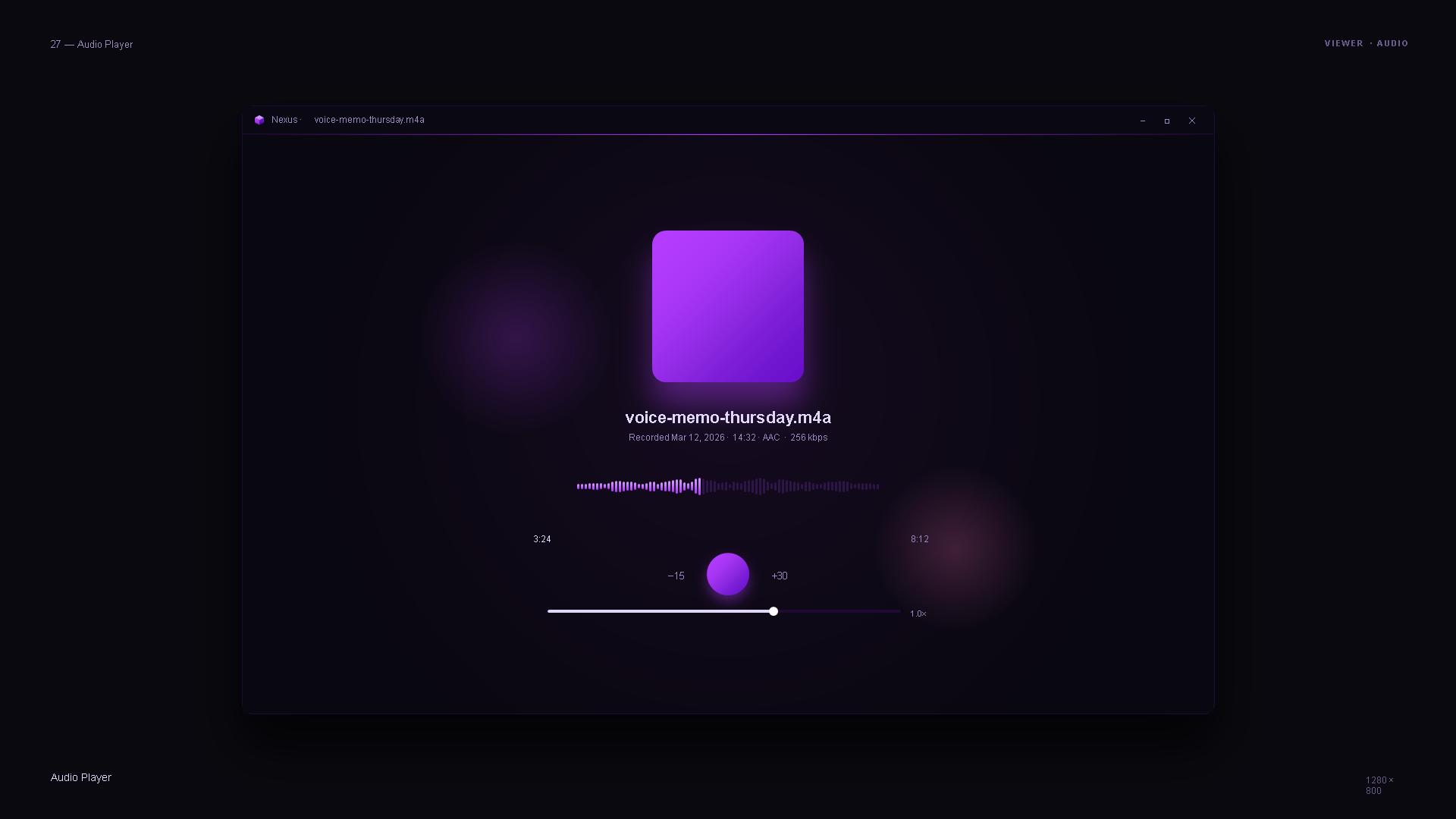
Nexus v11 Audio Player — centered purple album artwork, filename voice-memo-thursday.m4a, metadata line (Recorded Mar 12 2026 · 14:32 · AAC · 256 kbps), animated waveform, timestamps 3:24 / 8:12, transport controls with -15 rewind / play button / +30 skip, scrub bar, playback rate 1.0×.
Audio Player — waveform + transport

Not security advice. This page describes the cryptographic architecture of the Nexus vault product. It is not a substitute for professional security or compliance review before you rely on any encryption tool for critical data. Verify claims against the Nexus documentation and release notes at the linked repository.

v11 · what changes, what doesn't

What changes
Full visual system rebuild, new lock screen, refreshed vault browser, cleaner credential and note detail views, tighter settings, redesigned updater flow, new media surfaces (browser / image viewer / audio player) that never existed before v11. Kept: every keyboard shortcut, every existing vault format, every security guarantee.
What does NOT change
Every v10.x vault opens in v11 unchanged. AES-256-GCM stays. Argon2id stays. Windows Hello stays. Portable mode stays. Zero telemetry stays. This is a UI ship, not a security ship.
When it lands
Ships once the external hardening pass + accessibility audit on the new UI are green. No fixed date; shipped when it's honest to ship.